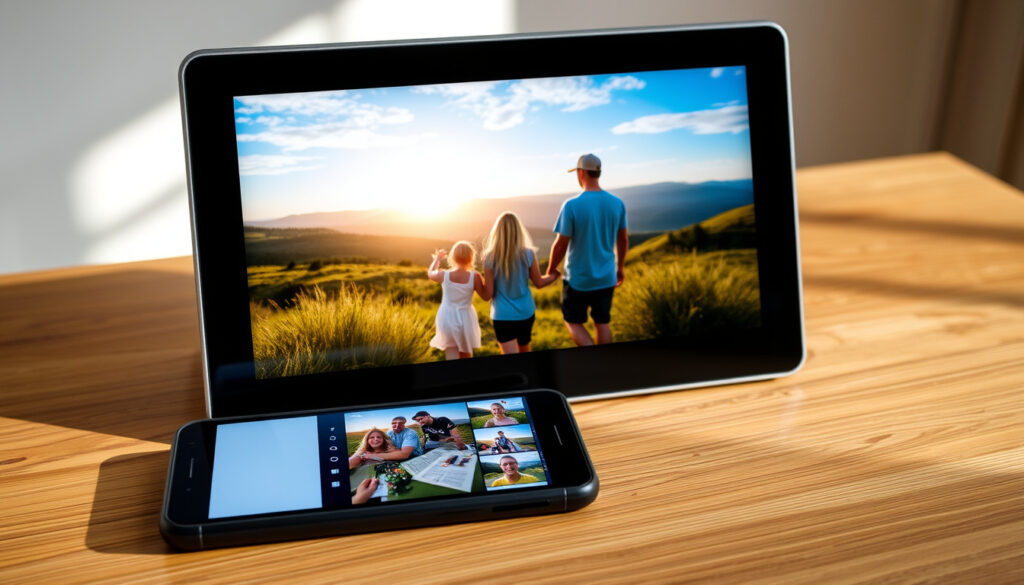
Frameo Digital Photo Frame – Review, Setup and Comparisons
Frameo digital photo frames represent a modern approach to displaying memories, combining WiFi connectivity with straightforward local storage. These touchscreen devices let families share photos and short videos across distances without relying on cloud subscriptions or complex setups. Understanding how they work, what they offer, and where they fit in the broader market helps consumers make informed decisions about connected home displays.
The Frameo ecosystem centers on a dedicated smartphone application that pairs directly with the hardware frame. Once connected, any authorized user can send photos and brief videos straight to the device, where they appear in automated slideshows. This approach prioritizes simplicity over feature complexity, making it accessible for users who may not be technically confident.
This guide examines Frameo’s core functionality, setup requirements, privacy considerations, available models, and how they compare to alternatives. It draws on recent reviews, user feedback, and technical specifications to provide a balanced overview of what these devices deliver in practice.
What is Frameo and How Does It Work?
Frameo manufactures WiFi-enabled digital photo frames that display images and videos on touchscreen displays. The primary model features a 10.1-inch HD screen with 1280×800 resolution, 32GB of internal storage capable of holding approximately 30,000 photos, automatic screen rotation for portrait or landscape orientation, and multiple slideshow modes. Users can load content through the Frameo app, SD cards, or USB drives, with no requirement for cloud storage services.
The 32GB internal storage holds roughly 30,000 photos depending on file sizes. Additional capacity is available through SD cards and USB drives, making storage essentially unlimited for typical household use.
Key Features at a Glance
- 10.1-inch HD touchscreen display (1280×800 resolution)
- 32GB internal storage (~30,000 photos)
- WiFi connectivity with app-based sharing
- Automatic rotation for portrait and landscape modes
- Support for SD cards, USB-A/C drives
- Wall-mounting capability
- Sleep timer for automatic on/off scheduling
- No mandatory cloud subscription for basic use
Frameo 10.1-inch Technical Specifications
| Specification | Details |
|---|---|
| Screen Size | 10.1 inches |
| Resolution | 1280 x 800 pixels |
| Internal Storage | 32GB |
| Photo Capacity | Approximately 30,000 images |
| Orientation | Auto-rotate (portrait/landscape) |
| External Storage | SD card slot, USB-A/C ports |
| Power Source | AC plug-in (no battery) |
| Connectivity | WiFi |
The Frameo app serves as the primary interface for adding content remotely. Once users download the application and create an account, they receive a unique share code from their frame. Entering this code establishes a connection, allowing the app to send photos and videos directly to the device. Multiple family members can connect to the same frame, enabling collaborative sharing from anywhere in the world.
Sharing Photos: App, SD Card, or USB
Content reaches the frame through three main pathways. The Frameo app offers the most flexibility for remote sharing—users select photos from their device gallery and transmit them over WiFi. The free tier permits batches of up to 10 photos or 15-second video clips; a subscription unlocks larger batches. Alternatively, users can bypass wireless entirely by loading an SD card or connecting a USB drive containing their image library.
How to Set Up Your Frameo Digital Photo Frame
Setting up a Frameo frame involves downloading the app, powering on the device, connecting to WiFi, and pairing through a share code. Reviewers consistently describe the process as straightforward and beginner-friendly, with most users completing initial configuration within minutes.
Step-by-Step Setup Process
- Download the free Frameo app from the App Store or Google Play Store.
- Power on the frame and follow the on-screen prompts to connect it to your WiFi network using the touchscreen interface.
- Locate the unique share code displayed on your frame.
- Open the Frameo app, create an account, and enter the share code to pair your smartphone with the device.
- Begin adding photos through the app, SD card, or USB drive.
Family members and friends can also install the app and connect to the same frame using its share code. This enables remote photo sharing without requiring physical access to the device. Each connected user can send content directly, creating a shared photo stream that updates continuously as new memories are added.
Share the frame’s code with close family members so they can contribute photos. Grandparents, in particular, benefit from receiving fresh images of grandchildren without needing to operate anything more complex than viewing the frame’s automated slideshow.
Adding Photos to Your Frame
The free app tier limits uploads to 10 photos per batch. For users who want to transfer larger collections at once, a subscription service removes this restriction. SD cards and USB drives provide offline alternatives that bypass the app entirely—users simply load media onto the storage device and insert it into the frame’s port. The frame automatically imports and organizes content from these sources.
Troubleshooting Common Setup Issues
WiFi connectivity problems represent the most frequently reported setup hurdle. If the frame shows an “offline” status, restarting both the frame and the router often resolves the issue. Ensuring a strong, stable WiFi signal helps maintain consistent connectivity. Users can check the connection status through the frame’s information screen, and re-pairing the app typically fixes most communication glitches.
Is Frameo Safe? Privacy and Security Explained
Frameo’s architecture emphasizes local storage over cloud-dependent solutions. Photos reside on the device itself or transfer directly between the app and frame without routing through third-party servers. This design reduces exposure to cloud-related vulnerabilities and gives users more control over their data.
Data Storage and Privacy Approach
Unlike cloud-based competitors that store images on remote servers, Frameo keeps photos on the physical device. When users send images through the app, they travel directly to the frame over the home WiFi network. No Frameo servers hold copies of family photos, meaning the company cannot access, analyze, or share the content displayed on connected frames.
While photos remain on-device, the initial app setup requires creating an account with personal information. Users uncomfortable with any data collection should review Frameo’s current privacy policy before registration.
WiFi Security and Connectivity
The frame connects to your home WiFi network, which means network security practices affect overall safety. Users with properly secured home networks report reliable frame operation. The app uses authentication codes to establish connections, preventing unauthorized users from sending content without physical access to the frame’s display.
No major safety incidents have been reported in recent user reviews or tech coverage. The FTC provides general guidance on smart device security that applies to any connected home product, including digital photo frames. Keeping firmware updated and using strong WiFi passwords forms the foundation of secure operation.
App Permissions and Data Access
The Frameo app requests access to the user’s photo library to enable sharing functionality. This permission is necessary for selecting and sending images but means the app can read photos stored on the connected device. Users should verify they are comfortable with this access before installing the application.
Best Frameo Models, Sizes, and Pricing
Frameo offers a limited but focused product lineup centered on the 10.1-inch form factor. Understanding available options helps buyers select the right model for their space and display preferences.
Available Models and Screen Sizes
The 10.1-inch WiFi model represents Frameo’s flagship offering. Multiple manufacturers produce licensed versions under brand names like ELIME and RICILAR, all sharing the same core specifications. These models feature a detachable stand that allows switching between portrait and landscape orientations.
A smaller 11-inch Portrait 01 variant exists with 16GB of storage, designed for vertical placement on counters or shelves where a tall display better suits the available space.
The 10.1-inch format works well on shelves, desks, and countertops. Those seeking a larger statement piece for expansive wall spaces may find Frameo’s options limited compared to competitors offering 15-inch or larger displays.
Pricing and Value Assessment
Specific price points vary by retailer, but sources consistently describe Frameo frames as reasonably priced and competitive within the digital photo frame market. Reviewers frequently mention good value, positioning them as affordable gift options for families looking to share photos across generations. Those interested in comparing current pricing across major retailers can check Best Buy and Walmart listings for the latest availability and deals.
When compared to premium alternatives like Aura frames, Frameo devices cost less while delivering core functionality. The absence of mandatory subscription fees for basic operation further improves long-term value, as users avoid ongoing costs that cloud-based competitors may require.
Accessories and Mounting Options
Frames support wall mounting for permanent installations. The included detachable stand serves tabletop placement, though some users report the stand feels flimsy. Third-party mounting solutions offer more robust alternatives for wall installations or situations where the default stand proves insufficient.
Frameo Reviews, Pros, Cons, and Comparisons
Frameo devices earned generally positive reception in 2024 reviews, with praise concentrated on display quality, ease of use, and remote sharing capabilities. Understanding both strengths and weaknesses helps set realistic expectations.
What Users and Reviewers Praise
The 10.1-inch HD touchscreen delivers vibrant, responsive visuals that reviewers and customers consistently highlight. Photo clarity exceeds many competitors according to user testimonials, with colors appearing natural and details rendering sharply. The 32GB storage capacity comfortably accommodates large photo collections without frequent cleanup.
Setup simplicity represents another frequently cited advantage. Those who gift Frameo frames to less tech-savvy family members report successful adoption, with recipients able to view incoming photos without technical intervention. The ability for multiple family members to contribute photos from different locations creates meaningful connections across distances.
Customer ratings reflect strong satisfaction—Best Buy listings show 5/5 average scores, while Walmart reviews cluster in the 4-5 star range across multiple product listings.
Common Complaints and Limitations
The detachable stand draws criticism for feeling inexpensive and occasionally unstable. Some users replace it with aftermarket solutions for improved stability. The app interface receives mixed reviews, with critics noting it lacks the polish of premium competitors while still functioning adequately for core tasks.
Free-tier upload limits frustrate users with large photo collections. The 10-photo batch restriction requires multiple transfer sessions to add substantial content, pushing power users toward the subscription tier. Occasional WiFi connectivity glitches cause “frame offline” notifications, though restarting typically resolves these issues.
Frameo vs Aura and Pexar
| Feature | Frameo 10.1″ | Aura | Pexar |
|---|---|---|---|
| Storage | 32GB local, SD/USB | Cloud-based | 32GB local, SD/USB |
| Sharing App | Frameo app, code-based | More advanced app | Frameo app |
| Display | 10.1″ 1280×800 touchscreen | Superior brightness | Similar specs, wall-mount option |
| Cloud Reliance | None for basic use | Required for operation | None |
| Best For | Family sharing, value | Premium features | Offline use |
Frameo differentiates itself through local storage independence. While Aura requires cloud connectivity for full functionality, Frameo frames display content without internet access once photos are loaded. This appeals to privacy-conscious users and those in areas with unreliable connectivity. For more on connected home devices, see our tech guides.
Frameo Product History and Key Milestones
Frameo emerged as a response to consumer demand for simple, subscription-free digital photo sharing. Understanding the product’s evolution contextualizes current offerings and future direction.
- Initial Launch – Frameo introduced its first WiFi-enabled digital photo frame targeting families wanting effortless photo sharing across generations.
- App Development – The smartphone application evolved to support video clips, multiple connected users, and improved transfer reliability.
- Model Expansion – The 11-inch Portrait variant joined the lineup, offering orientation flexibility for different display contexts.
- IFA 2024 – Frameo showcased WiFi Cloud models at the IFA technology exhibition, positioning them as modern replacements for traditional decorative frames.
- 2024 Reviews – Consistent positive reception placed Frameo among top-rated options in digital photo frame buying guides.
What Is Established and What Remains Unclear
Transparency about confirmed facts versus uncertain information helps readers evaluate the reliability of this guide.
| Established Information | Information Requiring Clarification |
|---|---|
| 10.1-inch model features 1280×800 resolution | Specific pricing varies by retailer and is not consistently published |
| 32GB internal storage holds approximately 30,000 photos | Future model releases beyond IFA 2024 announcements remain unconfirmed |
| App-based sharing with share code authentication | Subscription pricing tiers are not explicitly listed in public sources |
| Local storage with no mandatory cloud subscription | Long-term software support commitments are not clearly documented |
| AC-powered operation with no internal battery | Specific warranty periods vary by manufacturer and region |
| Support for SD cards and USB drives | Maximum supported SD card capacity is not specified in available sources |
Frameo in the Digital Photo Frame Landscape
The digital photo frame market has evolved significantly since basic LCD picture frames first appeared. Modern WiFi-connected frames like Frameo represent a distinct category focused on active content sharing rather than passive image display. This shift reflects broader trends toward connected home devices and family communication tools. Technology publications like TechRadar and The Guardian’s technology section have covered this evolution as connected displays become increasingly common in modern households.
Frameo occupies a specific niche in this landscape—positioned above budget novelty frames but below premium cloud-first alternatives in terms of price and features. The local storage emphasis distinguishes it from competitors who require ongoing subscriptions for cloud access. For users primarily interested in sharing photos among family members without recurring costs, this approach holds clear appeal.
The device category continues developing, with larger screens, enhanced video support, and improved smart home integration appearing across the market. Frameo’s IFA 2024 announcements suggest the company aims to expand beyond current offerings while maintaining its accessibility-focused positioning.
What Reviewers and Users Say
“Setup was a breeze. My parents receive new photos of the grandkids every week now without asking—they just see them appear.”
— Verified Best Buy Review
“The display quality really is impressive. Photos look better on this frame than printed at the same size.”
— Walmart Customer Review
Aggregated customer feedback highlights the frame’s suitability as a family gift. Multiple reviewers mention purchasing Frameo frames specifically for grandparents or elderly relatives who previously struggled with technology but now enjoy effortless photo updates. The value proposition appeals to those seeking meaningful gift alternatives that create ongoing connections rather than single-moment experiences.
Key Takeaways
Frameo digital photo frames deliver a straightforward solution for families wanting to share photos across distances without subscription obligations or complex technology. The 10.1-inch HD touchscreen, generous 32GB local storage, and app-based sharing work together to create an accessible experience that reviewers and customers consistently praise. Limitations exist—the flimsy stand, basic app interface, and free-tier batch limits frustrate some users—but core functionality performs reliably.
Privacy-conscious consumers appreciate the local-first approach that keeps photos on the physical device rather than cloud servers. Families separated by geography benefit most from the ability for multiple members to contribute images that automatically appear on the shared frame. For those comparing connected home display options, Frameo represents a capable, reasonably priced contender that prioritizes simplicity over feature bloat.
Frequently Asked Questions
Does Frameo require a subscription to work?
No. The basic Frameo functionality works without any subscription. Free users can send up to 10 photos per batch; a subscription unlocks larger batch transfers. All core features—display, slideshows, local storage, and app sharing—remain available without ongoing fees.
Can Frameo frames play videos?
Yes. The Frameo app supports video sharing alongside photos. Free accounts are limited to 15-second video clips. Videos appear in slideshows and rotate automatically with the display orientation.
How many photos can a Frameo frame store?
The 10.1-inch models hold 32GB internally, storing approximately 30,000 photos depending on file sizes. Additional storage via SD cards or USB drives can expand capacity essentially without limit.
Is Frameo compatible with both iOS and Android?
Yes. The Frameo app is available for iOS devices through the App Store and for Android devices through Google Play. Both platforms offer identical functionality.
What happens if the Frameo app crashes or stops working?
Restarting both the app and the frame resolves most issues. For WiFi connectivity problems showing “frame offline” errors, restarting the home router, power cycling the frame, and re-pairing the app typically restores functionality. The frame continues displaying previously loaded photos even when the app is unavailable.
Do Frameo frames have batteries for portable use?
No. Frameo frames are AC-powered plug-in devices designed for stationary placement on shelves, desks, or walls. They do not contain batteries and cannot operate while unplugged.
How does Frameo compare to the Ricoh GR IV Specs in terms of photo storage?
While the Ricoh GR IV represents a premium digital camera and Frameo a display device, both address photo storage differently. The Frameo focuses on displaying received images with 32GB local capacity, whereas camera specifications center on capture and image quality. They serve complementary roles in a digital photography workflow.
More related posts
 Great Pacific Garbage Patch: Size, Location, Cleanup & Myths
 Gorden Tallis: Height, Career, Children & Net Worth
 David Schwimmer: Life, Career, and Relationships After Friends
 Bowens Near Me: Find the Right Bowens Store or Service Nearby
 Rory McIlroy: Wife, Religion, Nationality, Health & Career Facts
 Flags of the World – Complete List, Symbolism and Facts
 James Worpel free agency: Geelong move explained
 Charmian Carr: Liesl von Trapp’s Life, Death & Legacy